Intro:
Ublock Origin (https://github.com/gorhill/uBlock#ublock-origin) is a web browser extension. It allows you to pick any element of a page and create a rule to block it.Sometimes the rule doesn't do exactly what you want. It blocks something you don't want on one page, but blocks something you want to see on another.
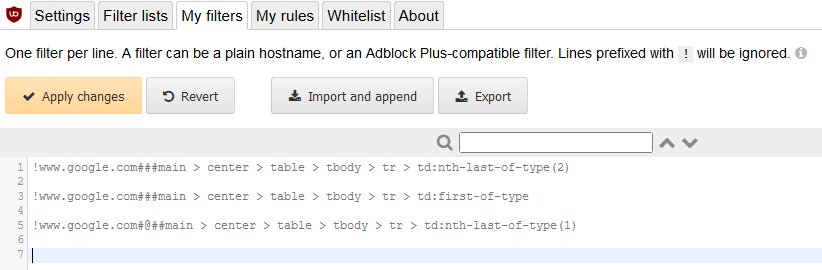
For example, a blocking cosmetic filter might look similar to this:
www.google.com###main > center > table > tbody > tr > td:nth-of-type(1)
The syntax of this rule is:
domain##element:modifier
This means on every page of this domain (www.google.com), block (##) the element "#main>center>table>tbody>tr>td" if it matches the modifier "nth-of-type(1)". Meaning it is the first element of type "td" within "#main>center>table>tbody>tr>".
(Modifiers reference: https://www.w3.org/TR/selectors/#overview)
But if the first element is wanted in another page of that domain, the filter will block it too!
Solution:
One workaround is to modify the filter rule if that element occurs exactly twice in one page, but exactly once in another. We can change the ":nth-of-type(n)" expression to ":nth-last-of-type(n)".www.google.com###main > center > table > tbody > tr > td:nth-last-of-type(2)
This filter blocks the second to last element of that type. Now the first element will be blocked when there are exactly two. No elements of that type will be blocked when there is exactly one.
Problems:
If pages have a varying amount of that specific type of element, this workaround fails. We can't say for sure that the first element will always be nth from the last, and that there won't be desirable elements removed from other pages.However, other methods fail to work even in the simple case of two elements.
If we set an allow filter (#@#) for the last element, it will be still blocked by the block (##) on the first element if there is only one instance.
!does not work!
www.google.com###main > center > table > tbody > tr > td:nth-of-type(1)
www.google.com#@#main > center > table > tbody > tr > td:nth-last-of-type(1)
Furthermore, we cannot limit the rule to certain pages on a domain. We can only specify the entire domain. This limitation applies to both include and exclude filters.
Note: Due to the way how element hiding is implemented, you really can only limit it to full domain names. You cannot use any other part of the address and you cannot use domain as a replacement for domain.example,domain.test.
https://adblockplus.org/en/filters#elemhide
So as far as solutions go, this dirty workaround does the trick!


